


Norint žaisti mūsų projekte, jums reikia turėti GTA V (Grand Theft Auto V) žaidimą ir įsidiegti RAGE Multiplayer (RAGE.MP) klientą.
Abiejų programų atsisiuntimo nuorodos pateiktos žemiau. 👇
🎮 GTA V atsisiuntimas
Norint žaisti projekte, būtina turėti įdiegtą originalų Grand Theft Auto V žaidimą.
Galite jį įsigyti ir atsisiųsti iš šių platformų:
🔧 RAGE Multiplayer atsisiuntimas
👉 Atsisiųsti RAGE Multiplayer (RAGE.MP)
🚀 Kaip įdiegti žaidimą ir prisijungti prie serverio?
- 📂 Įsidiekite GTA V į pasirinktą vietą (pvz.,
C:\Games\GTA V). - ⚙️ Atsisiųskite ir įdiekite RAGE Multiplayer.
Diegimo metu nurodykite kelią į savo GTA V aplanką. - 🖥️ Atidarykite RAGE Multiplayer programą.
- 🌐 Spustelkite “Direct Connect” ir įveskite mūsų serverio IP adresą:
ragemp.gtaworld.lt✅ Paspauskite Connect.
⏳ Palaukite, kol užsikraus modifikacija – ir sveiki atvykę į GTAWorld.lt! 🎉
❓ Kilo problemų?
Jei kyla problemų įsidiegiant arba jungiantis – kreipkitės į administraciją arba peržiūrėkite mūsų paruoštas GTA problemų sprendimų pamokas:
💬 Projekto komanda visada pasiruošusi jums padėti! ❤️
Užsiregistruok, kad matytum viską!
GTAWORLD.LT – lietuviškas realaus gyvenimo serveris GTA V žaidime, paremtas GRP principu, kuris jau daugiau nei 15 metų sėkmingai veikia legendiniame SARG SA-MP serveryje.
Mūsų forumas: https://forumas.gtaworld.lt/
Mūsų platforma: https://rage.mp/
Mūsų IP adresas: ragemp.gtaworld.lt arba rage://v/connect?ip=ragemp.gtaworld.lt:22005
Mūsų Discord: https://discord.gg/RPewqYUs6U
.png.3d931b8e68dcccf1c904633112fff740.png)
Nuotraukos
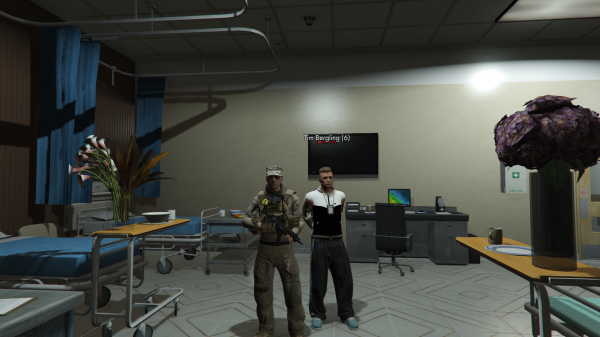

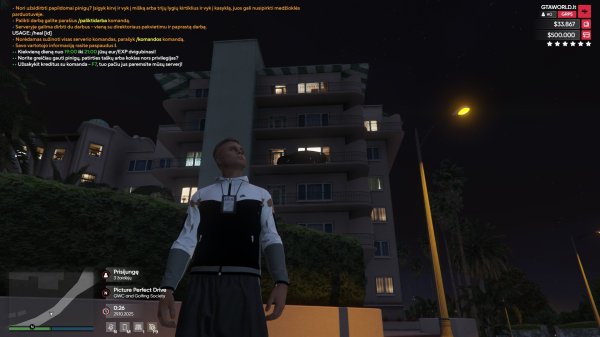

.jpg.0ea46d0e36ea42b2cade5260183907f7.jpg)

.png.1b963c44a945741c9e871f639d0aea3d.png)
Pranešimai
-
Projekto Istorija
Jau 7 mėnesius ir 17 dienų gyvuojame kaip projektas, o nuo pirmojo serverio atidarymo praėjo 1 mėnuo ir 17 dienų. Tai laikotarpis, per kurį nuveikta daugiau, nei daugelis būtų tikėjęsi iš dar tik kylančio projekto su komanda, kuri nuo pirmos dienos tikėjo savo vizija. Šiandien esame beta stadijoje - tobuliname sistemas, ieškome silpnų vietų ir ruošiame tvirtą pagrindą 0.1.0 versijai, kuri taps svarbiu etapu mūsų kelyje.
Per šiuos mėnesius įveikėme šešias versijas, išbandėme skirtingas kryptis ir dar tiksliau susidėliojome, koks turi būti mūsų GRP projektas. alt:V platformos pokyčiai ir sprendimas grįžti prie RAGE.MP pareikalavo drąsos. Sulaukėme nemažai kritikos, pavydo ir bandymų sumenkinti mūsų pasirinkimus - tačiau tai tik dar labiau įrodė, kad einame teisinga kryptimi.
Mūsų Kilmė iš SA-MP GRP
Mūsų komanda kilusi iš žmonių, kurie užaugo su SA-MP GRP serveriais. Pirmosios patirtys - modifikacijų kūrimas, jų "editinimas", ir testavimas - suformavo supratimą, kas iš tikrųjų daro žaidimą GRP, o ne tik paprastu roleplay projektu. Žaisdami sarg.lt, las-venturas.lt ir kitus GRP serverius mes ne tik mėgavomės žaidimu - mes mokėmės, tyrinėjome ir kaupėme patirtį, kuri šiandien leidžia perkelti senosios SAMP dvasios pagrindą į GTA V variklį.
Kol konkuruojantys projektai bando atkartoti jau išnykusių serverių vizijas, mes kuriame tikrą, modernų GRP, kryžmindami RP pagrindą su sarg.lt idėjomis ir tobulindami sistemas taip, kad žaidimo progresas, ekonomika ir žaidėjo patirtis būtų optimalūs. Daug kas sakė, kad tai neįmanoma - bet ši idėja tapo mūsų stiprybe. Šiandien, net jei ne visi mumis tiki, mes vis tiek darome tai, kuo tikėjome nuo pat pradžių, ir nenustosime tol, kol projektas pasieks savo viziją.
Beta Stadija ir Testuotojų Indėlis
Ypač noriu padėkoti mūsų beta testuotojams. Žmonėms, kurie skiria savo laiką, kantrybę ir pastangas ieškodami klaidų, testuodami sistemas ir naujas žaidimo mechanikas, ir padėdami mums augti. Kiekviena jūsų pastaba, kiekviena iškelta problema, kiekvienas pasiūlymas - tai reali pagalba, kuri tiesiogiai prisideda prie geresnės serverio kokybės. Be jūsų šio projekto nebūtume pajėgę vystyti tokiu tempu ir tokio lygio tikslumu.
Vizija ir Tikslai
Mūsų tikslas išlieka nesikeičiantis: sukurti modernų, tvirtą ir tikrą GRP projektą, kurio žaidėjai nusipelno. Projektą, kuris išlaiko senąją SAMP dvasią, bet išnaudoja šiuolaikinį GTA V variklį ir dizainą. Tai yra gtaworld.lt vizija.
Ačiū visiems, kurie esate kartu, tikite projektu ir padedate jam augti kiekvieną dieną.
Svarbiausia - mes tik pradedame <3. -
Versija: #GRP 0.0.6[20]
Naujas 2D bei 3D garsų api, senasis nebeveikė, todėl teko perrašyti nuo 0, dabar visi 3d garsai kurie turėjo veikti iki šiol - veiks, taip pat pridėtas skaičiavimo garsas /sk komandai (kaip sa-mp skaičiavimo garsas, 3,2,1, go) Sutvarkyti gametext'ai matuoklių, kai prarasdavai teises išmesdavo du ant karto viduryje ekrano. Perdarytas /q dabar jis išjungs žaidimą Patobulintas Audi R8 handling'as Idėti tris keybindai narkotikų: žolė, kokainas, heroinas greitam vartojimui Pašalinti du vip lygiai, liko tik silver vip(1 ID) ir diamond vip(2 id), naujokai gaus silver vip 5d prisiregistrave. Naujokų informacinė komanda apie GRP žaidimą perkelta ant meniu sistemos /grp Tolimųjų reisų vairuotojų darbas nuo šiol su direktoriaus pakvietimu. Pilnai pašalinta lygių sistema, dabar kaip, kad sa-mp laikais kelsites tik patirtį. Sumažintas administratoriaus lygių skaičius, nuo 9 iki 5 Sukurta direktorių prižiūrėtojo privilegija Sutvarkyta 7 ID Vitalijaus naujokų misija Perkelta atsiradimo vieta - arčiau oro uosto/vairavimo mokyklos, prie atsiradimo vietos pridėta keli informaciniai markeriai Perrašyta nuomos sistema – nuo šiol nebekils problemų, kai išsinuomavus transporto priemonę ji atsirasdavo ne prie artimiausio nuomos punkto, o atsitiktinėje vietoje. Taip pat ištaisytas atvejis, kai, pavyzdžiui, paštininko darbe būdavo rodoma motociklų nuoma. Naujokai vietoj 2,500 eur nuo šiol gaus 20k eur
Sudėtas V.I.P transportas /tpvip, vip'ai gauna:
1x Mitsubishi Lancer Evolution EVO X
1x SubaruWRX
1x Bentley Continental
2x BMW E38
2x greitaeigiai kateriai - speeder
1x straigtasparnis - maverick
SVARBU:
Šiuo metu Platininio VIP kaina yra 500 kreditų, o Deimantinio VIP – 1000 kreditų.
Perskaičiavus į eurus, tai atitinka 5 € už Platinį VIP ir 10 € už Deimantinį VIP.
Tačiau perkant tiesiogiai per PayPal arba bankiniu pavedimu, taikomos mažesnės kainos:
Platininis VIP – 3 € / 30 dienų
Deimantinis VIP – 8 € / 30 dienų
💎 Pasirink tiesioginį apmokėjimą ir sutaupyk!
Jeigu kilo klausimų ar reikia pagalbos – drąsiai rašyk Discord: gogopowarangers
arba asmenine žinute forume: https://forumas.gtaworld.lt/index.php?/profile/1-marco_diaz/ -
Versija: #GRP 0.0.6
STATUSAS: neįkeltas
GTA V ENHANCED PALAIKYMAS:
Serveris dabar oficialiai palaiko GTA V Enhanced versiją! Iki šiol buvo tik legacy versija, bet nuo šiol veiks su abiem.
Mes tapome pirmuoju serveriu Lietuvoje, kuris tai siūlo – ir, panašu, vieninteliu dar ilgą laiką 😄✨
Kadangi FiveM šios versijos nepalaiko o RAGE.MP yra vienintelė platforma, leidžianti pilnai naudoti GTA V Enhanced galimybes – mes pakėlėme kartelę į viršų!
Enhanced versija jau veikia: daugiau FPS, gražesnė grafika, geresnis apšvietimas, detalios tekstūros ir didesnis stabilumas – visiškai naujas kokybės lygis 👌✨
PAKEITIMAI:
Įdėtas varžybų laimėjimų skaičiavimas, saugojimas ir užkrovimas.
Varžybų prizai skiriami ir atsijungusiems žaidėjams, prizą atsiimti galima parašius /prizas.
Fūristams pridėtas 45 $/km bonusas. Komanda /vfix nuo šiol prieinama ir keleiviui.
Sutvarkyta diržo sistema, galima užsisegti nusistačius keybind'ą arba tiesiog su komanda /dirzas, policija per /patikrinti nuo šiol matys, ar vairuotojas/keleivis prisisegęs.
Sukurtas teorijos egzaminas, nuo šiol neleis laikyti A, B, C kategorijų bei pirkti kitas kategorijas neturint išlaikyto teorijos egzamino, taip pat pridėtas informacinis pickup naujokams, kuris rodys svarbiausią informaciją bei esamas kainas.
Atnaujinti A, B, C kategorijų praktikos egzaminai: iškart įsėdus į regitros tr. priemonę bus duodami nurodymai, informacija, viršijant 90 km/h greitį bus duodami įspėjimai, taip pat egzamino gale bus rodomas klaidų skaičius, egzaminą reikia užbaigti per 5 min – kitaip egzaminas bus nutraukiamas.
Pridėtas momentinis teisių išlaikymas A/B/C kategorijoms, kaina priklausys nuo prarastų teisių kiekio.
Žaidėjams, kurių nors viena tr. priemonė bus Konfiskuotų mašinų aikštelėje, nuo šiol bus pranešama, kad ji ten yra ir kokia yra laikymo kaina už minutę. Kas 4 minutes rodomas informacinis pranešimas viduryje ekrano bei chat'e, pinigai nuskaičiuojami kas 1 min. Mechanikai taip pat kas minutę gauna tą pinigų sumą, o žaidėjui atsiimant ir susimokėjus mechaniko paskirtą baudą, 100% sumą taip pat gauna mechanikai į savo seifą.
Už /bauda pareigūnas gauna 10 % sumos, o 90 % keliauja policijos departamento seifui. Mokant per departamentą – visa suma keliauja PD.
Atnaujinti greičio matuoklių pranešimai ekrane ir chatte. Važiuojant be teisių – bauda didesnė.
Sukurtas autopilotas, komanda /autopilotas [greitis]. Važiuojant autopilotu, kas minutę gausite +20 € prie algos. Taip pat, jei automobilio būklė palaikoma virš 900 hp, gausite +10 € prie algos kas minutę.
Įlipus į tr.priemonę bus rodoma ši informacija:
pokalbiai /v ir /vc bus prieinami tik nuo 3 žaidėjo lygio, išvengiant galimo reklamavimo iš naujų paskyrų, atnaujinti /v /vc /s ir /ac dizazinai, sutrumpintos automatinės serverio žinutės.
Sutvarkyta kai po rr susidvigubindavo nuosavos tr.priemonės.
Padaryta /bukle, žaidėjas turės pavalgyti, kad gautų algą.
ŽAIDĖJO BŪKLĖ IR ALGA – VISKAS, KĄ REIKIA ŽINOTI
Kaip krenta ir kyla kas minutę (60 sek.)
Energija (nuovargis)
• -0.01 % per minutę (labai lėtai)
• Jei sotumas > 0 % → +0.08 % energijos per minutę
• Jei sotumas = 0 % → energija krenta dvigubai greičiau
Sotumas (alkis)
• -0.01 % per minutę (jei turi bent kiek sotumo)
• Jei sotumas = 0 % → nebekrenta, bet energija krenta dvigubai
Realūs pavyzdžiai per 1 valandą (60 min)
• Sėdi AFK, sotumas 100 % → −0.6 % sotumas, +4.8 % energija
• Važinėji su darbine, sotumas 100 % → −0.6 % sotumas, +4.8 % energija
• Važinėji su darbine, sotumas 50 % → −0.6 % sotumas, +4.2 % energija
• Važinėji su darbine, sotumas 0 % → 0 % sotumas, −0.6 % energija
KAIP TAI ĮTAKOJA ALGĄ
Alga skaičiuojama nuo žemiausios būklės (sotumas arba energija)
Žemiausia būklė → Kiek gauni algos
• 90–100 % → 100 % (pilna alga)
• 70–89 % → 90 %
• 50–69 % → 70 %
• 30–49 % → 40 %
• 10–29 % → 10 %
• 0–9 % → 0 € – nieko negausi
Pavyzdys (darbas, bazinė alga 300 €/min + VIP ×2 + laimės valanda, važinėjant darbine tr.priemone)
Būklė Prieš (100 %) Po (energija 42 %)
Alga per min 600 €/min 240 €/min (-360 €)
Alga per valandą 36 000 €/h 14 400 €/h
IŠVADA
• Valgykite → turėsite energijos
• Turėsite energijos → gausite pilną algą
• Negalėsite dirbti be maisto – kaip tikrame gyvenime
Įdėti trumpiniai policijai (/02) ir medikams (/03). Sutvarkyta bei perdaryta, kad per valdymo panelę I rodoma statistika.
Įdėti 6 garažai, kuriuose 10 % pigiau nei pas mechaniką galima susiremontuoti tr.priemonę. Visas pelnas keliauja į mechanikų seifą.
Nuo šiol nusipirkus tr.priemonę gausite laikinuosius numerius, ir turėsite užregistruoti tr.priemonę pas mechanikus bazėje, neužregistravus gręsia baudos iš policijos, užsiregistravus gaunami lietuviško formato numeriai.
Serveris nebeatsijunginės 06:00
Sutvarkyta problema, kai žaidėjui prisijungus kiekvieną kartą iš naujo buvo paleidžiami kuro ir mašinų saugojimo timeriai.
Naujas player hud, naujas spidometras, nauji pranešimų dizainai.
Pašalintas GTA V default radijas.
Radijas perkeltas į Y raidės bind’ą, kur žaidėjas galės patogiai jį valdyti.
Asmeninio radijo logika:
Žaidėjas gali klausytis savo pasirinkto radijo.
Įlipus į transporto priemonę, kurioje groja radijas,
asmeninis radijas automatiškai sustabdomas, ir pradeda groti transporto priemonės radijo stotis.
Išlipus iš transporto priemonės, asmeninis radijas automatiškai vėl įsijungs
Išlipus iš transporto priemonės žaidėjui dabar bus parodyta:
kiek kilometrų buvo nuvažiuota;
kiek litrų kuro sunaudota.
Sukurta nauja komanda: /darbai
Greitas priėjimas prie darbo informacijos bei jo suradmas.
Atnaujinta komanda: /gps
Jei GPS sekimas neįjungtas → atidaromas telefono GPS langas.
Jei GPS sekimas įjungtas → sekimas yra išjungiamas.
Pagerinta AFK sistema
Nebeperjungs į AFK režimą „iš oro“.
Virš žaidėjo galvos rodomas AFK laikas.
Sugrįžus rodomas bendras išbūtas AFK laikas.
Atnaujintas /duoti, sukurta komanda /isdalinti -
📢 APKLAUSA – Prekeivių darbas
Sveiki visi 👋
Turim klausimą bendruomenei – ar verta serveryje sukurti Prekeivių darbą?
Tai būtų darbas su direktoriaus pakvietimu, kuris sujungtų narkotikų ir ginklų pasaulį: nuo auginimo ir gamybos, iki pardavimo bei paketų tiekimo gaujoms ar mafijoms.
💼 1️⃣ Ar serveryje reikia sukurti Prekeivių darbą?
Su šia sistema Prekeiviai galėtų atlikti šiuos veiksmus:
Narkotikų ir ginklų pardavimą / gaminimą
Auginimą, gamybą, žaliavų surinkimą / perdirbimą
Sandėlių valdymą bei prekių ruošimą pardavimui
Gaujos ir mafijos galės gamintis kai kuriuos ginklus, bet pardavinėti ar platinti juos galės tik Prekeiviai.
Be to, lyderiai ir gaujų/mafijų atstovai, turintys leidimą, galės pirkti didelius ginklų ar narkotikų paketus iš Prekeivių, pvz.:
🔫 100x Pump Shotgun + 100x šratų
💉 500x Heroino paketų
🌿 1000x Žolės pakuočių ir t.t.
🔸 Balsavimo variantai:
✅ Taip — Prekeivių darbas būtų įdomus, įneštų daugiau veiksmo ir sąveikos tarp gaujų/mafijų.
🟥 Ne — Užtenka dabartinės sistemos, papildomo darbo nereikia.
ℹ️ Trumpai apie sistemą:
Prekeiviai: stumdo narkotikus, gamina ir pardavinėja ginklus, priima užsakymus, tiekia paketus.
Gaujos / Mafijos: gali gamintis savo ginklus, bet norint platinti ar apsirūpinti didesniais kiekiais – reikia bendradarbiauti su Prekeiviais.
Lyderiai / Leidimą turintys žaidėjai: gali pirkti didelius paketų kiekius tiesiai iš Prekeivių.
Svarbu: prie komandos /kviesti bus pridėtas darbas Prekeiviai, kad bet kuris žaidėjas galėtų lengvai išsikviesti Prekeivius (pvz. reikalingas tiekimas, pirkti paketą ar specialus delivery).
💊 2️⃣ Kokio tipo Prekeiviai būtų geriausi serveriui?
Norim išgirsti jūsų nuomonę – ar geriau daryti pilnus prekeivius (ginklai + narkotikai), ar tik narkotikų veiklą?
🔸 Balsavimo variantai:
🟩 Pilni Prekeiviai (ginklai + narkotikai)
Prekeiviai užsiima viskuo: ginklų gamyba, narkotikų auginimu, gamyba ir pardavimu.
Tai būtų viso nelegalaus pasaulio „šerdis“ – iš jų gaujos/mafijos galėtų pirkti viską, ko reikia veiksmui.
🟨 Tik Narkotikų Prekeiviai
Prekeiviai dirbtų tik su narkotikais:
🌿 Žolė
❄️ Kokainas
💉 Heroinas
Jie juos augintų, gamintų ir platintų žaidėjams. Ginklų prekyba liktų tik gaujoms/mafijoms arba būtų ribota per specialius event’us.
🟥 Nepritariu / Turiu kitą pasiūlymą
Jeigu turi idėją, kaip padaryti šią sistemą dar įdomesnę – parašyk komentaruose 👇 -
Versija: #GRP 0.0.5[68]
Įdėta lėktuvų ir malūnsparnių nuomos sistema.
Perrašyta sekimo sistema – dabar ji veikia patogiau:
Sekamam žaidėjui atsijungus, sekimas automatiškai nutrūksta.
Atvykus į GPS nustatytą vietą, GPS sekimas bus nutrauktas.
Žaidėjui pranešama apie sekimo nutraukimą.
Perrašytas spidometro kodas:
Nauji skaičiavimai pagal GTA V waypoint atstumą.
Rida kyla greičiau, spidometras turėtu būti matomas ir keleiviui.
Sukurtos varžybos – pagal pražaistą laiką ir pravažiuotą atstumą, prizas 5000 XP /varzybos
Nauja iškvietimų sistema (/kviesti):
Galima kviesti tarnybas per telefoną pagal numerį, arba per komandą /kviesti.
Tarnybos darbuotojai gauna pranešimus per komandą /kviecia.
Prie policijos ir ligoninės pridėti informaciniai text labeliai.
Tingi eiti? – /kviesti taksi vieta.
Jei iškviestas darbuotojas atsijungia – žaidėjui pranešama ir ieškomas naujas darbuotojas.
Atnaujinta VIP paslaugų sistema:
Perkant paslaugų paketus, sistema palygina jūsų VIP lygį su paketo verte.
Suteikiamas atitinkamas VIP laikas (gali būti ir minutėmis ar sekundėmis).
Pakeistos kainos, pridėta galimybė prasitęsti VIP paslaugą.
Į telefoną pridėtos radijo stotys:
Sukurta komanda /dkomandos – visos direktoriaus komandos bei informacija, kaip atsidaryti valdymo panelę.
Pridėta komanda /d – skirta viešiems direktorių skelbimams.

![Versija: #GRP 0.0.5[68]](https://forumas.gtaworld.lt/uploads/monthly_2025_11/image.png.e29c306ca1538885a5387fffc1a1807c.png)
Forumo statistika
- Viso temų 24
- Viso pranešimų 27
Prisijungę (Pilnas sąrašas)
- Šiuo metu nėra prisijungusių vartotojų
Nariai, buvę prisijungę per paskutines 24 val. 0
- Niekas iš užsiregistravusių narių žiūri šita puslapi.